

Tilt Tension Troubles: How to Get It Just Right

Learn how to adjust your chair's tilt tension for a balanced, comfortable recline that enhances posture and boosts overall sitting comfort.

About the author:

If your office chair leans back too easily or feels locked upright, your tilt tension likely needs adjusting. Tilt tension controls how much resistance you feel when reclining. When it is set correctly, you can lean back smoothly without strain or instability. When it is too loose, you may feel like you are falling backwards. When it is too tight, reclining becomes uncomfortable and forces your lower back to work harder.

Here is exactly how to adjust tilt tension on your ergonomic office chair in a few simple steps.

What is Tilt Tension on an Office Chair?

Tilt tension is the resistance you feel when leaning back in your chair. It controls how easily the backrest reclines and how much support your body receives during movement.

Why Proper Tilt Tension Matters

Adjusting your chair’s tilt tension is a simple yet often overlooked task that can significantly impact your comfort. Keeping your chair in a free float position rather than in a static position allows for active sitting or a dynamic sitting posture, promoting movement and reducing the risk of back pain. It supports better blood circulation, encourages natural body movements, and helps maintain a healthy spine.

Dynamic reclining reduces static spinal loading compared to fixed upright sitting.

Tilt Tension FAQs

Should tilt tension be tight or loose?

Tilt tension should match your body weight and comfort level.

  • If it is too loose, the chair may feel unstable.
  • If it is too tight, reclining will require excessive force.

The ideal setting allows controlled, smooth movement without strain.

Where is the tilt tension adjustment located?

Most ergonomic office chairs have one of three systems:

  • A handwheel under the seat
  • A rotating lever on the side
  • An automatic weight-sensing mechanism

The handwheel is the most common and usually features plus (+) and minus (–) indicators.

Why can’t I lean back in my office chair?

If the chair feels stuck upright, the tilt tension may be too tight or the tilt lock may be engaged. Reduce the tension slightly and check that the lock is disengaged.

Why does my office chair lean back too easily?

If your chair leans back with little effort, the tilt tension is set too low. Increasing the tension will add resistance and improve stability.

Types of Tilt Tension Mechanisms

Before we dive into the adjustments, it's important to note that different chairs have different mechanisms.

1. Manual Handwheel:

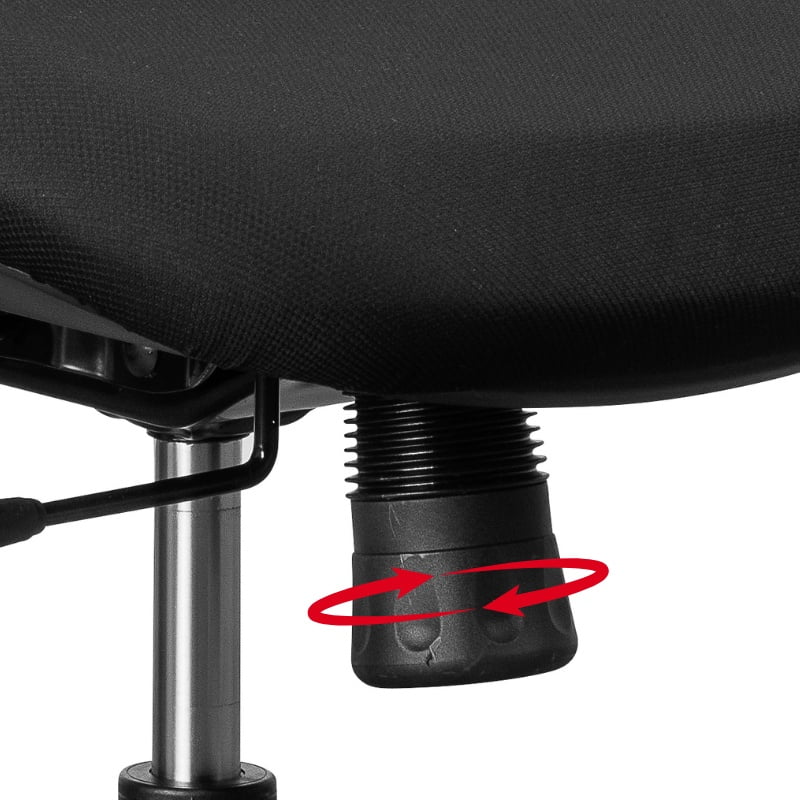
Many ergonomic chairs feature a handwheel underneath the seat to adjust the tension. This knob is often labelled with a plus (+) and minus (-) sign. You’ll need to get off the chair to make this adjustment.

2. Rotating Lever:

More expensive ergonomic chairs may have a rotating lever on the side of the seat. This lever allows for easy and precise adjustments while you remain seated.

3. Automatic Adjustment: 

Some high-end chairs come with a built-in mechanism that automatically adjusts the tilt tension based on your weight. These chairs require no manual adjustment.

Manual Handwheel for adjusting tilt tension
The manual handwheel located underneath the seat
Rotating Lever for adjusting tilt tension
The rotating lever located on the side of the seat
Tilt tension automatic adjustment
Automatic adjustment required no manual intervention

Step-by-Step Guide to Adjusting Tilt Tension

1. Sit On Your Chair

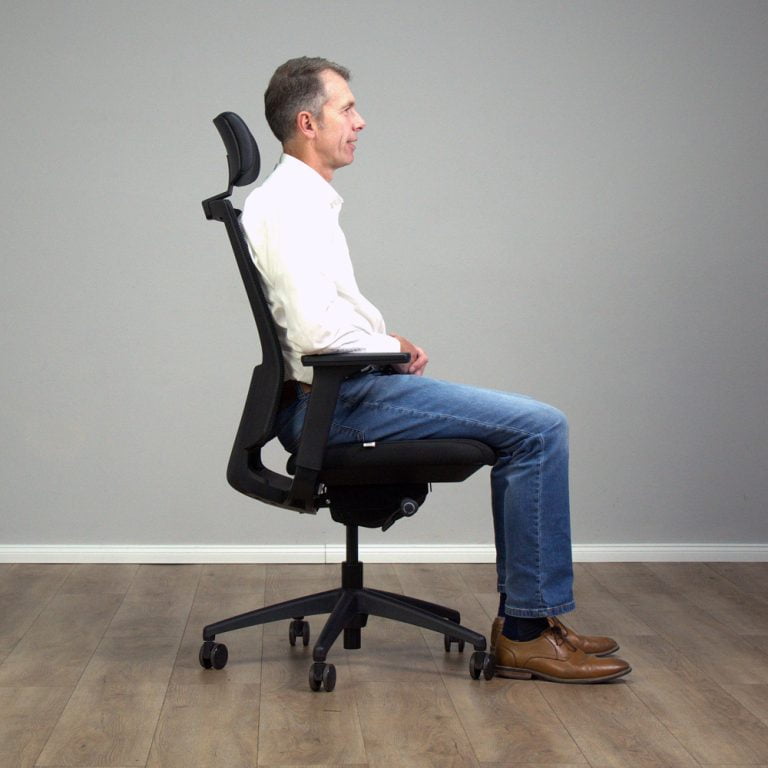
Sit on your chair with your feet flat on the floor and your back against the backrest. This position will give you the most accurate feel of the tilt tension.

2. Test the Current Tilt Tension

Lean back gently to see how much resistance you encounter. This will give you a baseline for your adjustments.

ergonomic office chair tilt tension adjustment
Sitting with your feet flat on the floor will give you the most accurate feel of the tilt tension.
Adjusting the handwheel under the seat to increase tilt resistance.
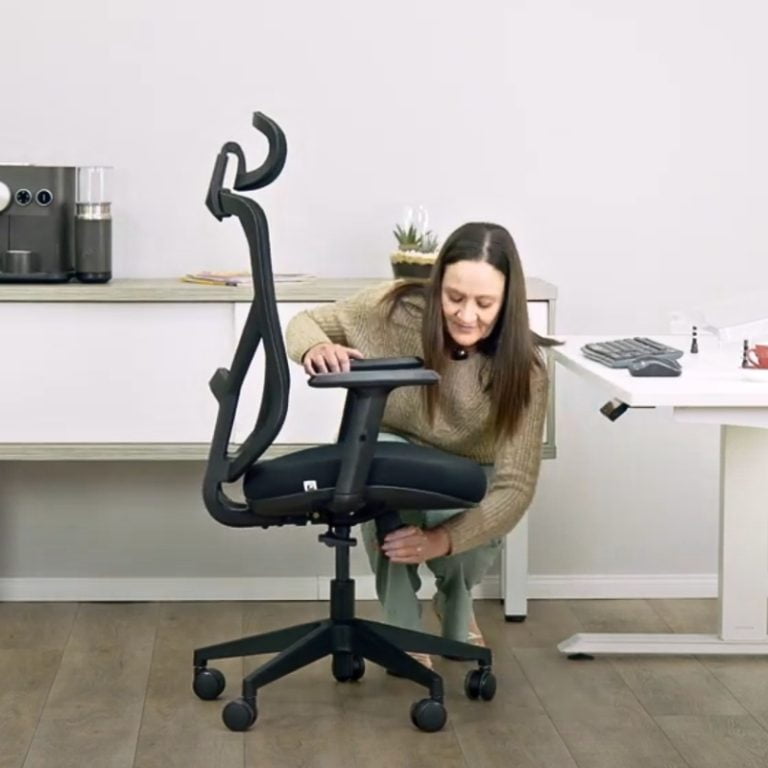
For a manual handwheel you may have to get off the chair to adjust the tension.

3. Locate and Adjust the Tilt Tension

Depending on your chair, it will either have a handwheel or lever to adjust the tilt tension. Some models have an automatic adjustment feature that matches the tension to the individual's body weight. For manual adjustments, look under the seat or on the side for the rotating lever.

  • Handwheel Adjustment: Turn the handwheel to the right to increase tension (making it harder to lean back) and to the left to decrease tension (making it easier to lean back). Make small adjustments, testing the tilt after each turn. It's usually easier to turn the handwheel when you are not sitting on the chair.
  • Rotating Lever: Rotate the lever in the direction indicated for increasing or decreasing the tension. This can be done when sitting on the chair.
  • Automatic Adjustment: Sit back and let the chair adjust itself. If it feels off, consult the manual to ensure it is functioning properly.

4. Find the Perfect Balance

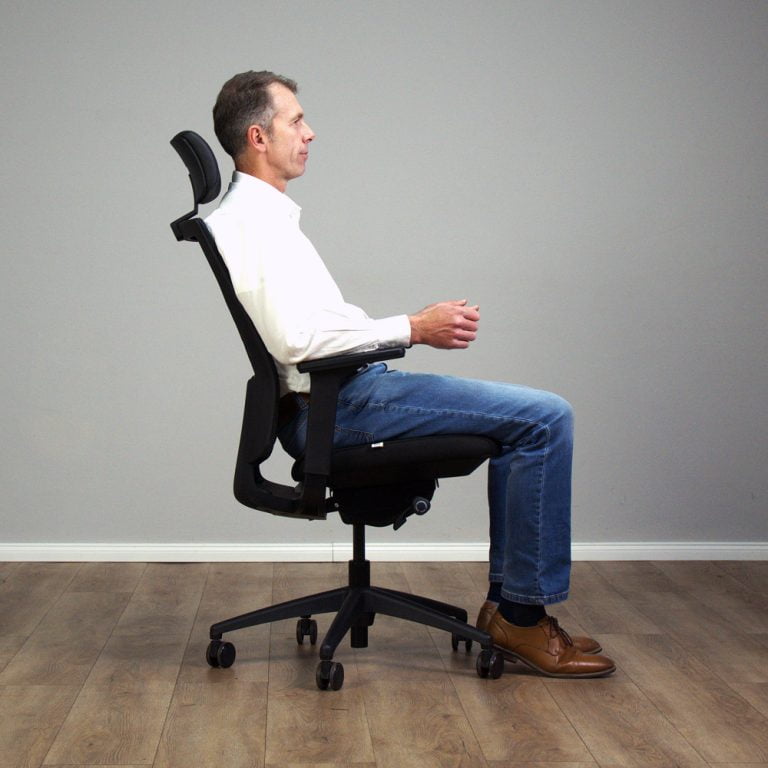
The goal is to find a balance where you can lean back comfortably without feeling like you’re going to tip over, and without having to use excessive force.

It should feel smooth and natural.

5. Fine-Tune as Needed

Over the next few days, you might notice that your initial adjustment needs a little tweaking. Don’t be afraid to make minor adjustments until you are comfortable.

Take the time to get it just right….your back will thank you!

ergonomic office chair backrest angle adjustment
Finding the perfect balance means being able to lean back comfortably without excessive force.

The Key to Lasting Comfort

Correct tilt tension allows controlled movement, supports dynamic sitting, and reduces strain on your lower back. If your chair feels unstable or rigid, adjusting this setting is often the quickest fix. By fine-tuning this setting, you can ensure a smooth, balanced reclining experience that supports active sitting and reduces strain on your back.

By the same author: