

Ergonomic Chair Setup Guide: 8 Mistakes To Avoid
- Updated:
About the author:
John Karle
“Create Healthy Workspaces”
Excited about your new ergonomic chair but unsure how to set it up? You're not alone! Many first-time buyers struggle with a new chair which often results in discomfort and even pain. A correctly adjusted chair supports your body, promotes healthy posture, reduces fatigue, and helps prevent many of the aches and pains associated with prolonged sitting. In this article, discover how to conquer the 8 most common ergonomic chair setup blunders.
Summary: How to Correctly Setup Your Ergonomic Office Chair in Under 5 Minutes
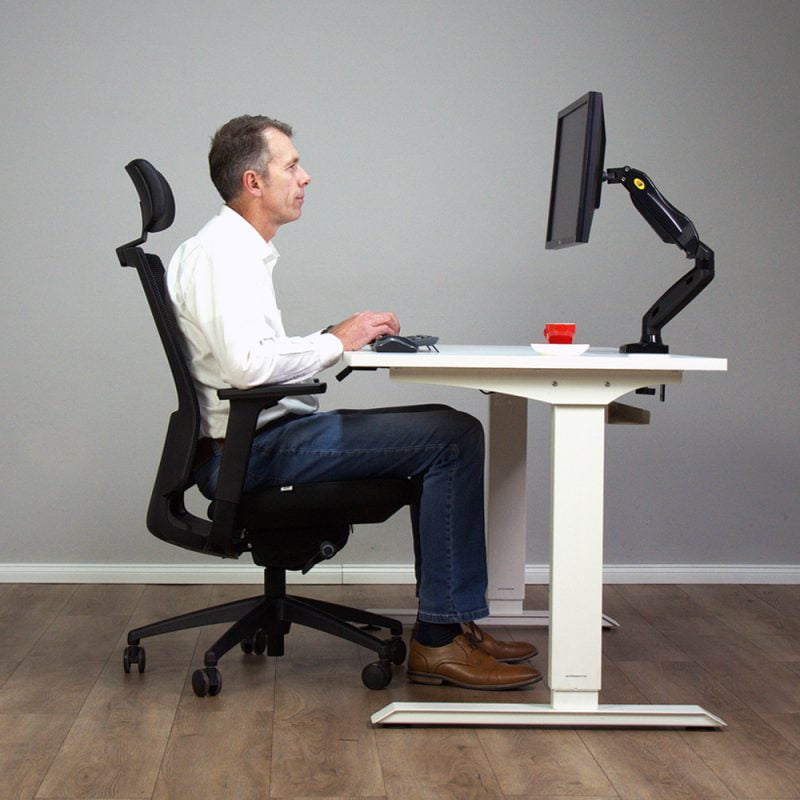
- Feet flat on the floor or on a footrest
- Knees slightly lower than the level of your hips
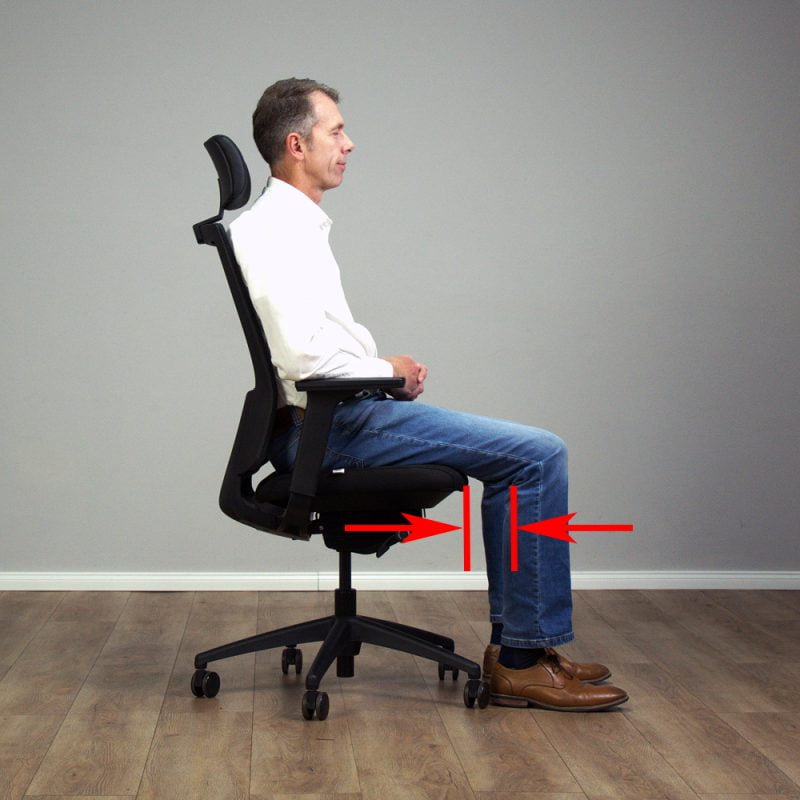
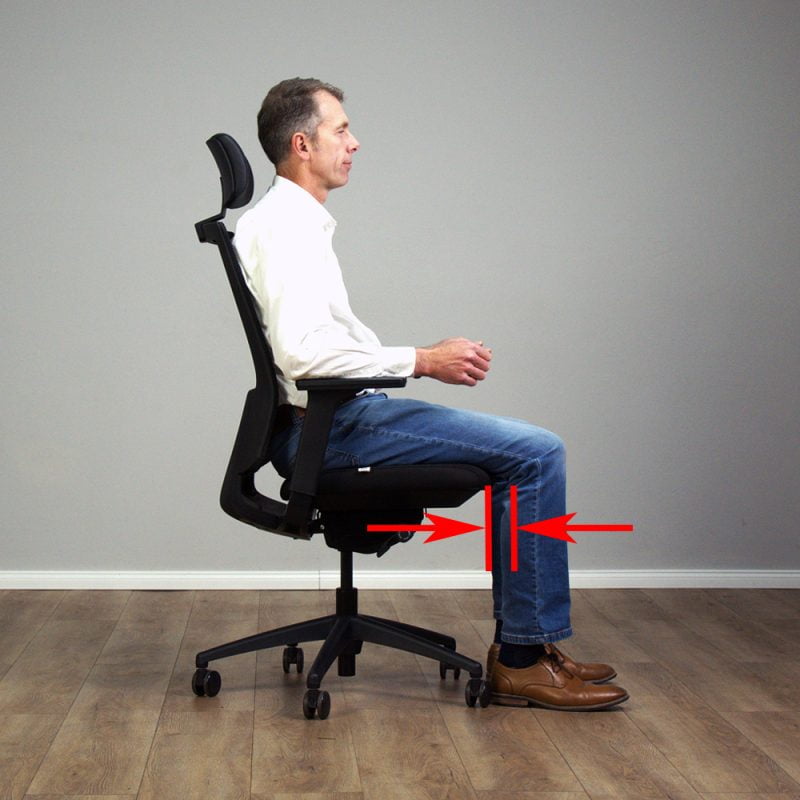
- A 2-3 finger gap between front edge of the seat and the back of your knees
- Back fully supported by the backrest with the lumbar support fitted into the curve of your lower back
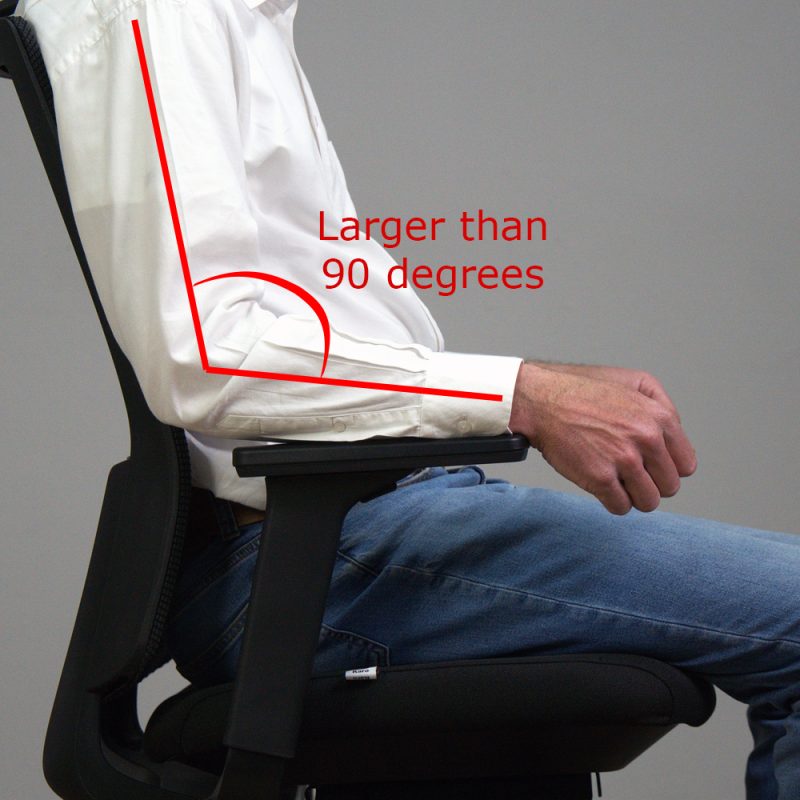
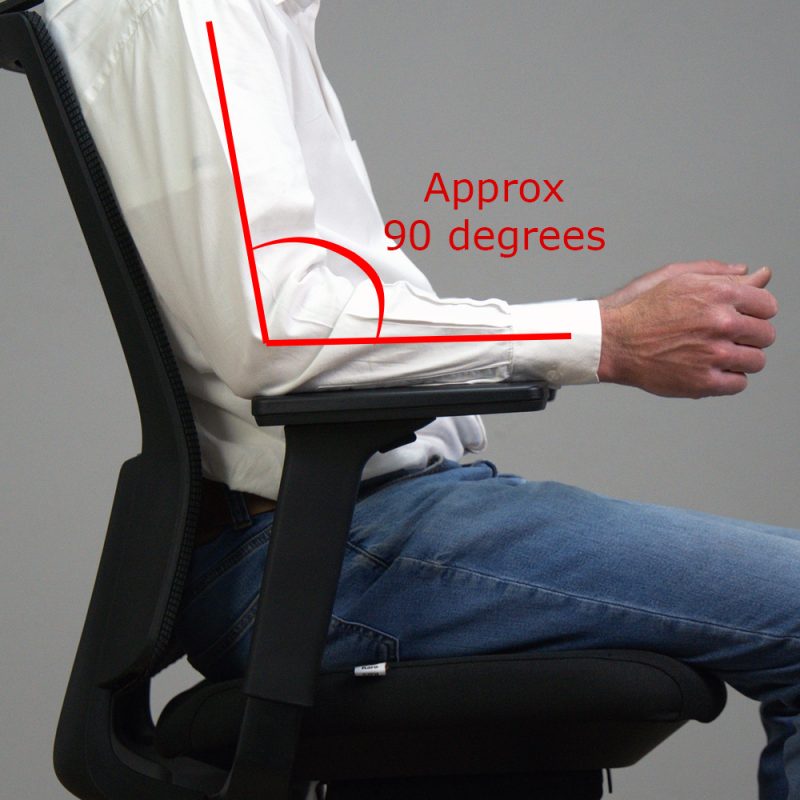
- Shoulders relaxed and elbows bent at roughly 90 degrees
- Armrests level with the surface of the desk
- Forearms parallel to the floor and supported by the armrests or the surface of the desk
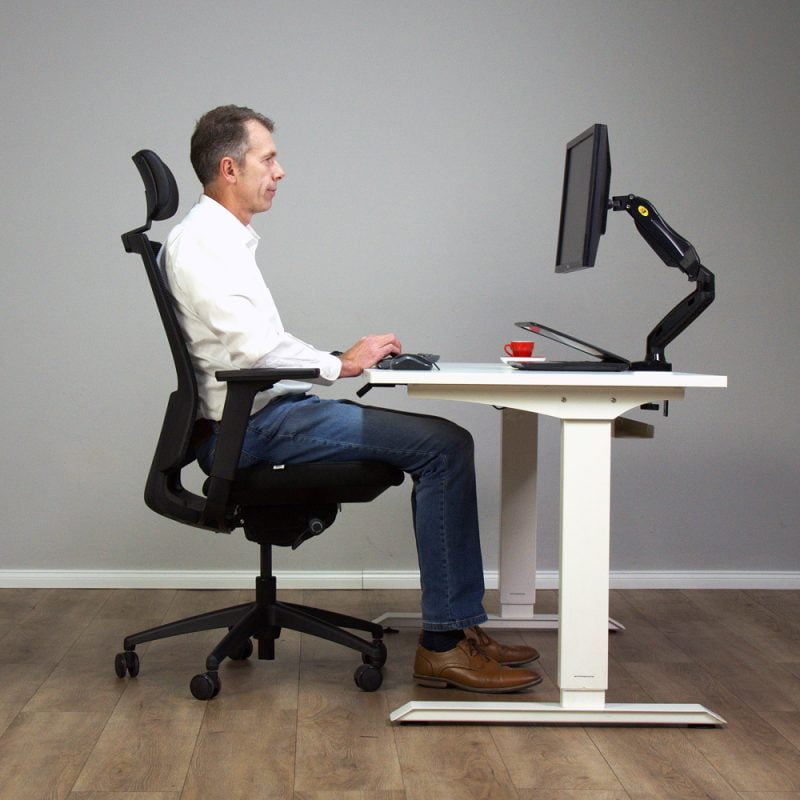
- Monitor positioned approximately an arm's length away with the top of the screen at or slightly below eye level.
When your chair is setup correctly, it supports your body as intended, helping you sit comfortably for longer, reduce fatigue, improve focus, and finish the day with fewer aches and pains.
Ergonomic Chairs Setup Mistakes
Use this guide to eliminate the most common setup errors in less than five minutes.
Mistake # 1: Incorrect Seat Height
It is imperative to adjust the seat height AWAY from your desk.
In other words, DO NOT sit in front of your desk while you make this setup change to your ergonomic chair!
Seat too low
Sitting with your knees above the level of your hips increases the pressure in the lumbar discs, resulting in lower back pain. Furthermore, muscular pain in the neck and shoulders is often caused by a seat that is too low.
Seat too high
If your feet dangle and don't touch the floor, the pressure under your thighs increases, resulting in poor circulation, inadequate back support, and ultimately, discomfort.
The Solution!
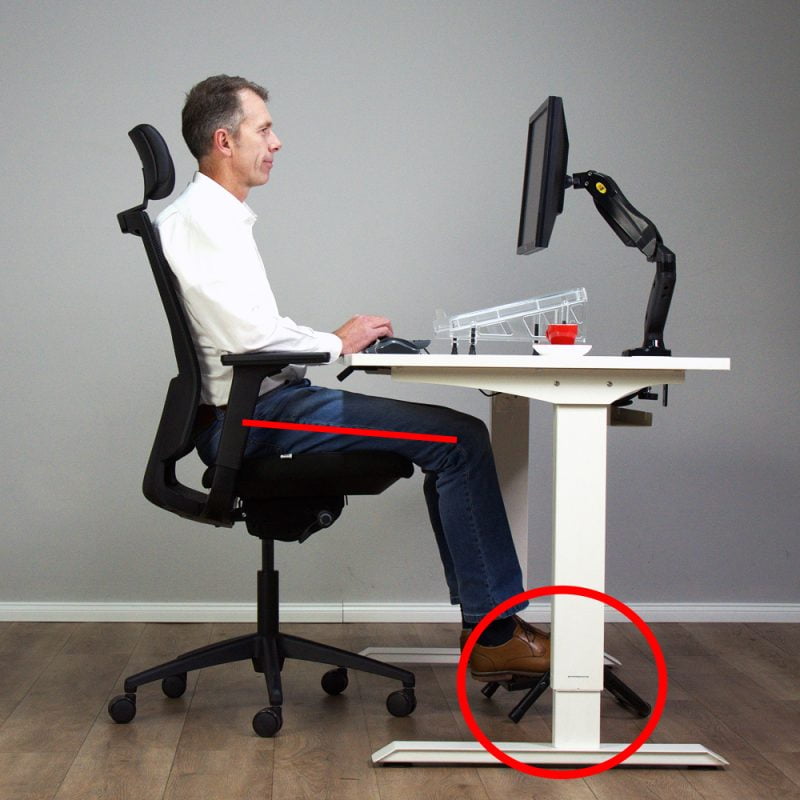
Adjust the height of your chair so that your feet are flat on the floor and knees are slightly lower than your hips.


Mistake # 2: Incorrect Armrest Height Setup on your Ergonomic Office Chair
Just like the first tip above, remember to adjust the armrest height AWAY from your desk.
Armrests too high or low
Incorrect armrest height can cause muscle tension in your neck, shoulders, arms and wrists.
The Solution!
Adjust the armrests so your forearms are parallel to the floor and elbows are bent at about 90 degrees.
Adjusting both the seat and armrest height is the key to setting up your workstation correctly. Once done, bring the chair towards your desk.
Your chair's seat and armrest height are crucial, and your desk should complement your chair setup. Remember, the ideal ergonomic setup is when the desk adapts to the chair, not the other way around.


Adjusting the Desk to Match the Height of the Chair Seat and Armrests
Having completed #1 and 2 above, now move the chair in front of your desk.
If the armrests are level with the top of the desk, then the desk is at the correct height!
If this is NOT the case, then DO NOT immediately change the height of the chair....carry on reading!
If you are using a height adjustable or standing desk, changing the desk height to match your chair's height is easily accomplished by pushing a button or turning a handwheel. However, if you have a fixed height (non-adjustable) desk, then a different approach is necessary, as described below.
The Solution!
The perfect ergonomic setup means having the armrests of your chair at the same height as your desk. Your knees should be slightly below your hips, and your feet are either flat on the floor, or supported on a footrest.
Your Fixed Height Desk is TOO HIGH
RAISE the height of the chair so that the armrests align with the tabletop. If your feet don't reach the floor, use a footrest, book, or box for support.
Do not let your feet dangle.
See #1 above.
Your Fixed Height Desk is TOO LOW
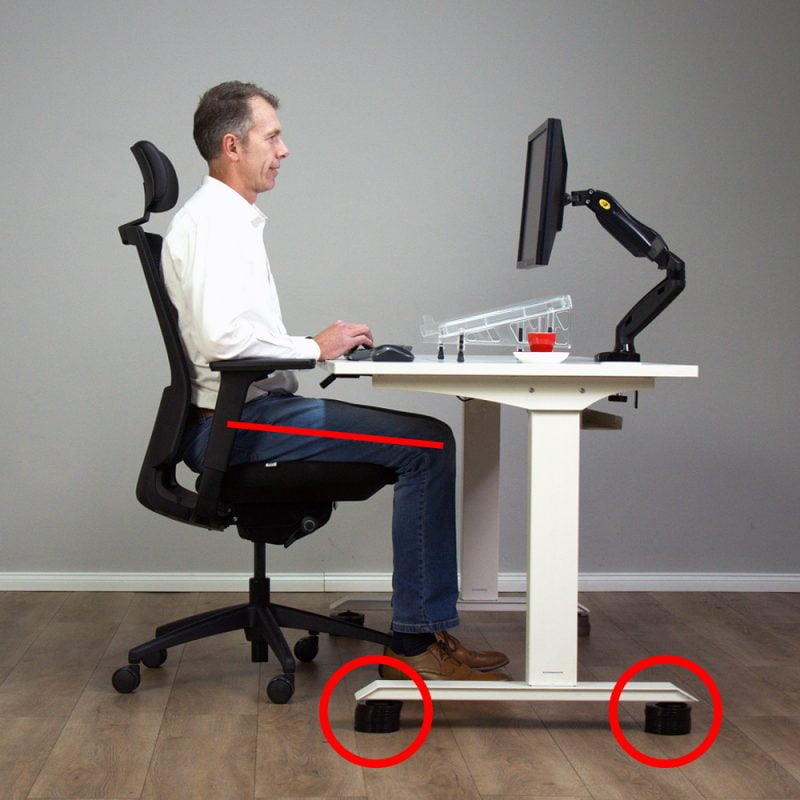
If your chair's armrests are higher than the top of the desk, then your desk is too low. Use blocks of wood or old books to RAISE the height of your desk.
NEVER lower the seat height to accommodate the desk height.


Great job! Your chair and desk are nicely aligned. Let's now focus on the personalised ergonomic chair features.
Mistake # 3: Incorrect Seat Depth Adjustment
Incorrect seat depth leads to inadequate thigh support for taller individuals, or lack of back support for shorter people. Your legs should feel fully supported without pressure behind your knees.
The Solution!
For greater comfort and support, adjust the seat depth so that there is a 2-3 finger gap between the front edge of the seat and the back of your knees.
These office chairs have a seat slider that enables you to adjust the seat depth. Office Chair Seat Depth Adjustment – What You Need To Know


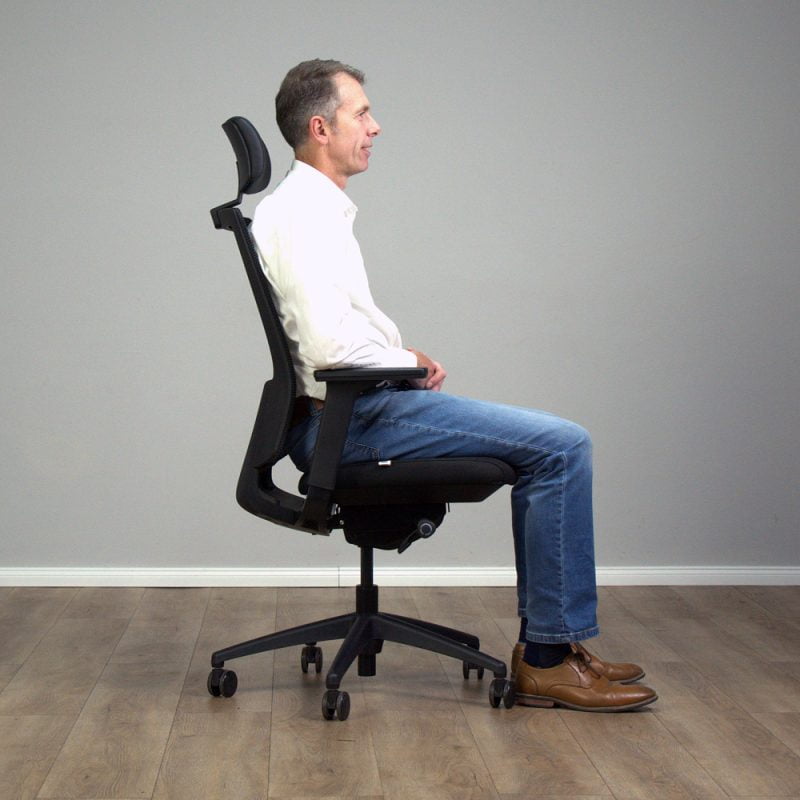
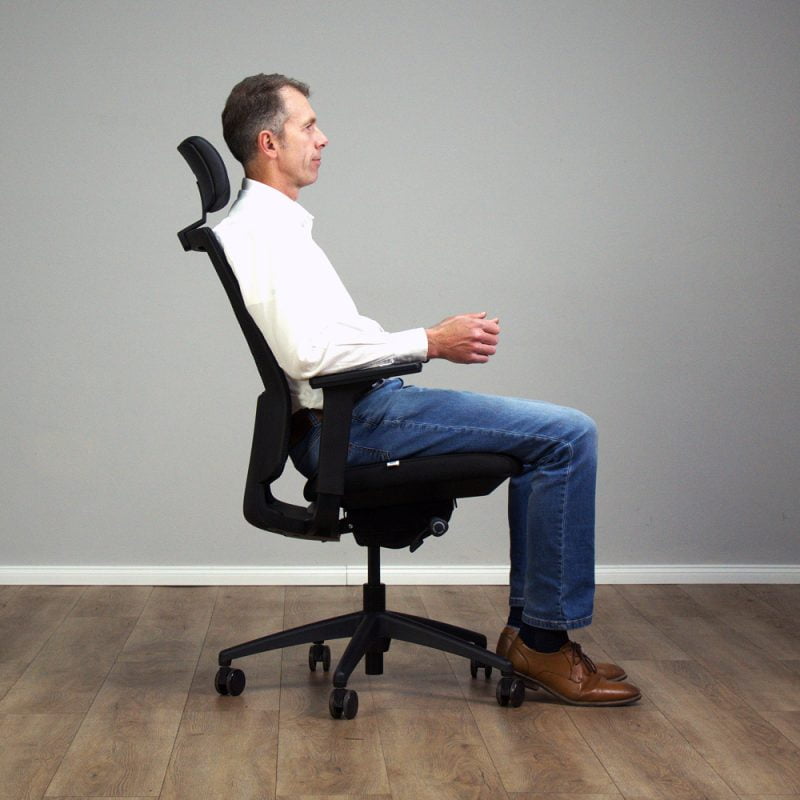
Mistake # 4: Backrest Angle Setup on an Ergonomic Chair
Not adjusting the backrest angle leads to poor back support and discomfort. Back support for an office chair – why it’s important
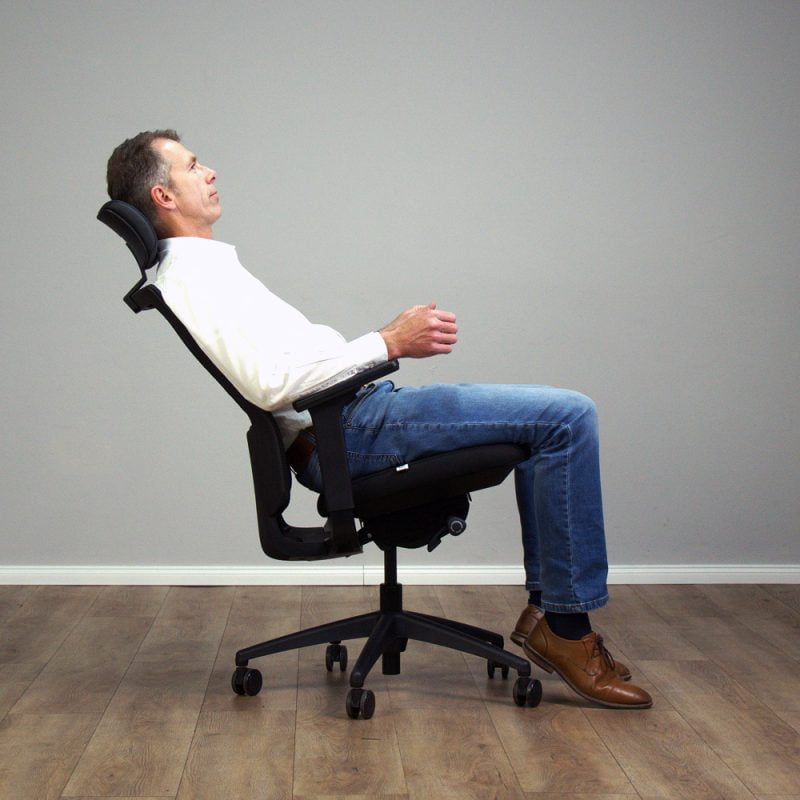
Adjust the backrest to recline between 90 and 110 degrees. Encourage Dynamic Sitting by allowing the backrest to "free-float" and move with your body, thereby providing constant support for your back.


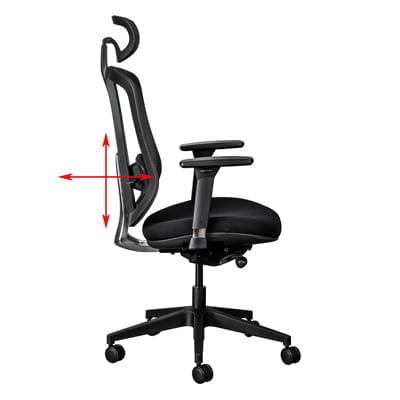
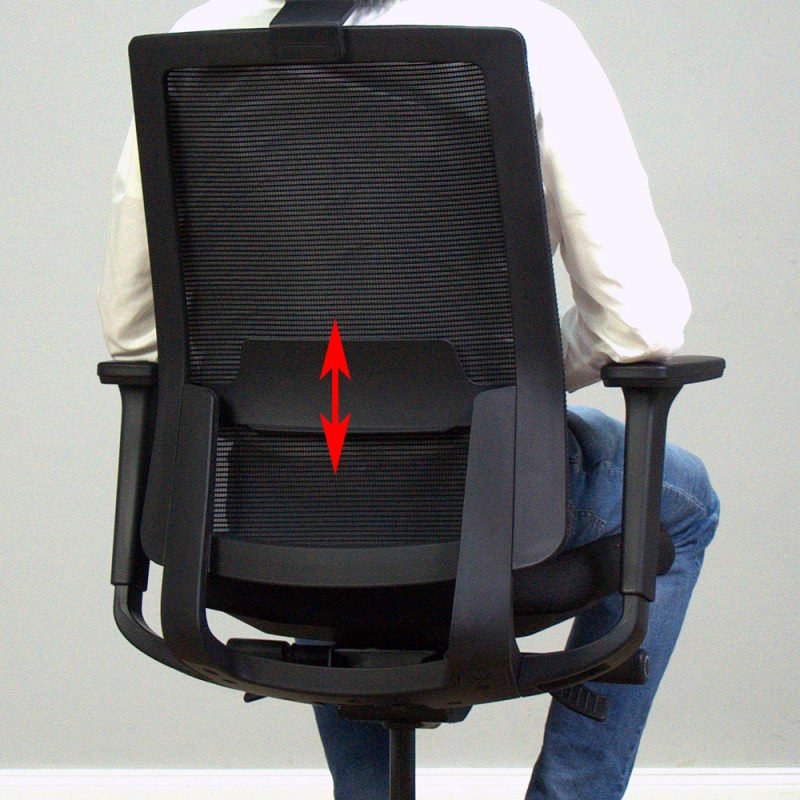
Mistake # 5: Incorrect Lumbar Support
Not adjusting the lumbar support can lead to poor spine alignment and discomfort. Advanced chairs have both depth and vertical lumbar adjustment.
The Solution!
Position the lumbar support snugly into your lower back to keep your spine in a neutral position.


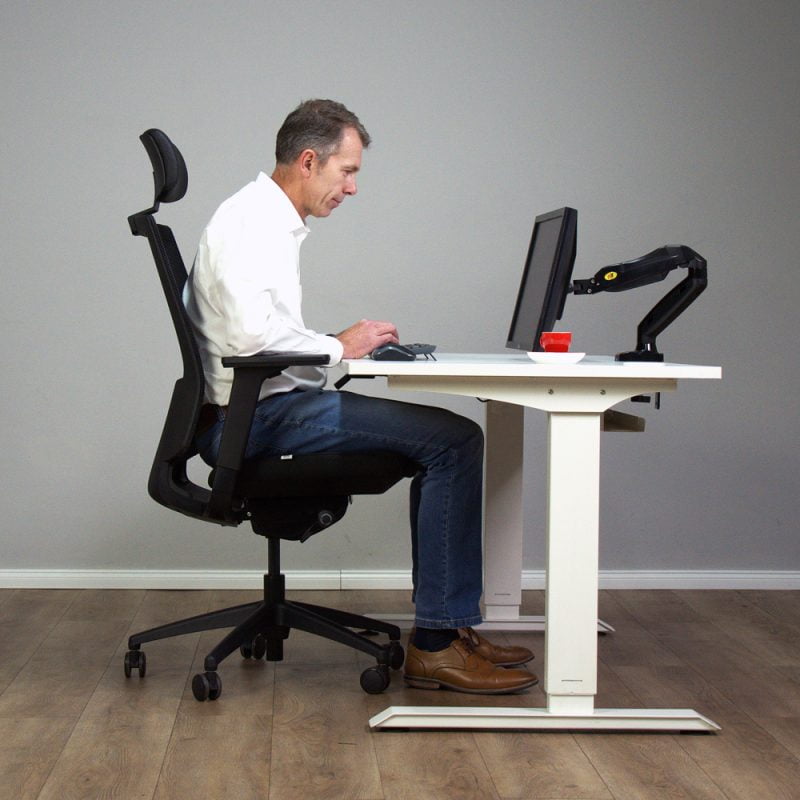
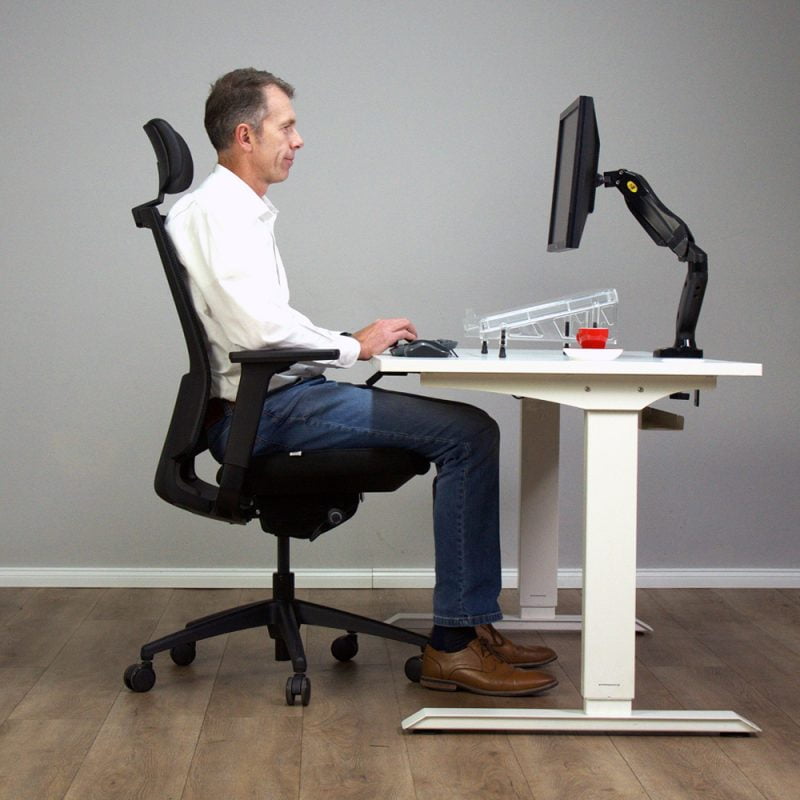
Mistake # 6: Incorrect Monitor Position
An incorrect monitor position will cause neck strain and eye discomfort.
Your monitor should be positioned so that your eye level is approximately a third of the way below the top of the screen, and an arm's length away from you.


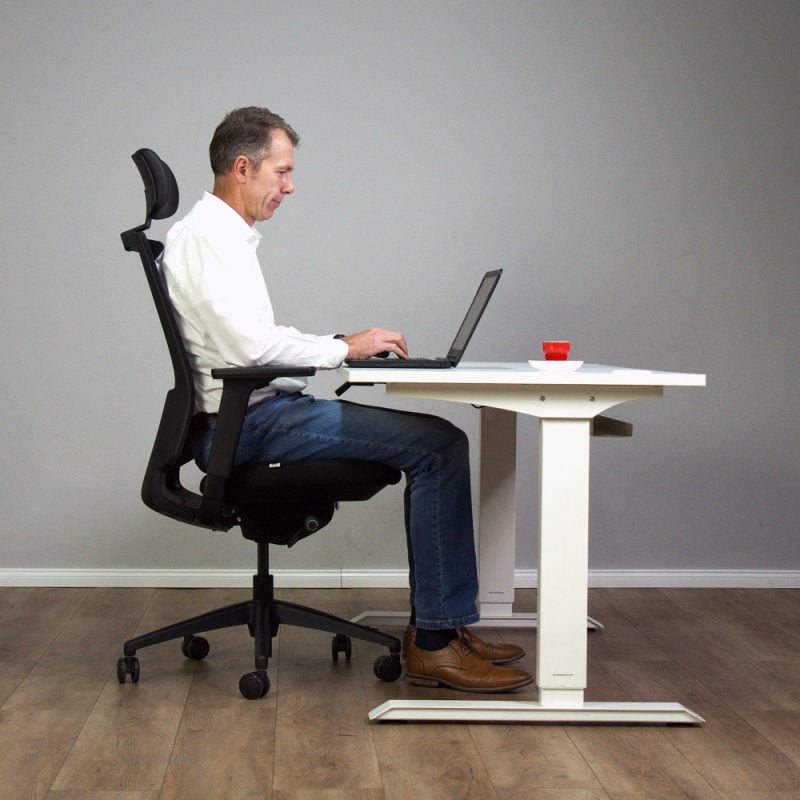
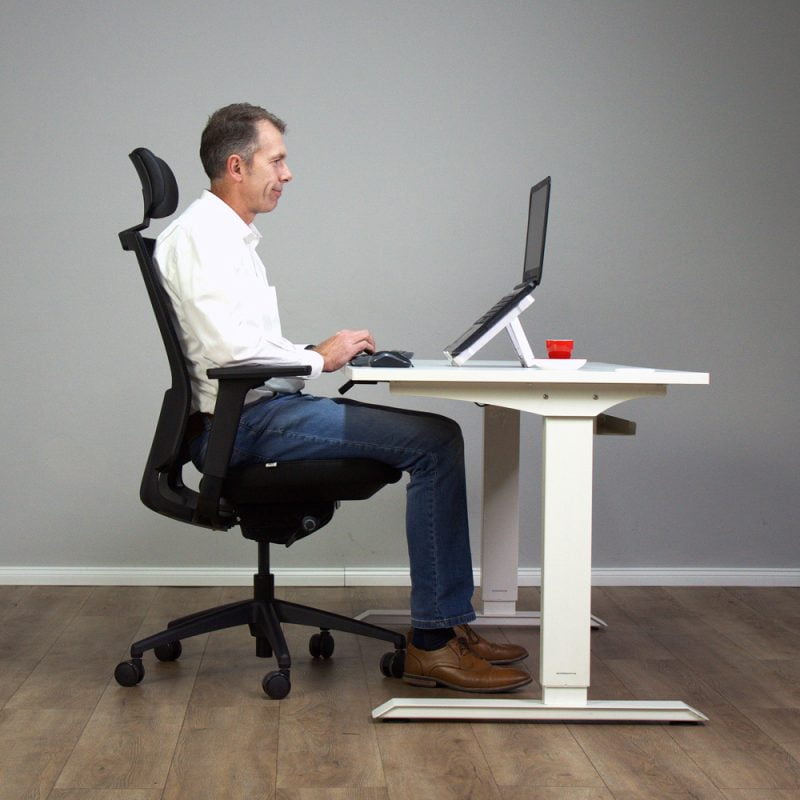
Mistake # 7: Incorrect Laptop Height
Laptops were developed as mobile devices to be used for short periods of time, and not to be dumped on your desk and used for 8-10 hours a day! The wrong laptop height leads to poor posture (hunching), as well as neck and upper back strain.
The Solution!
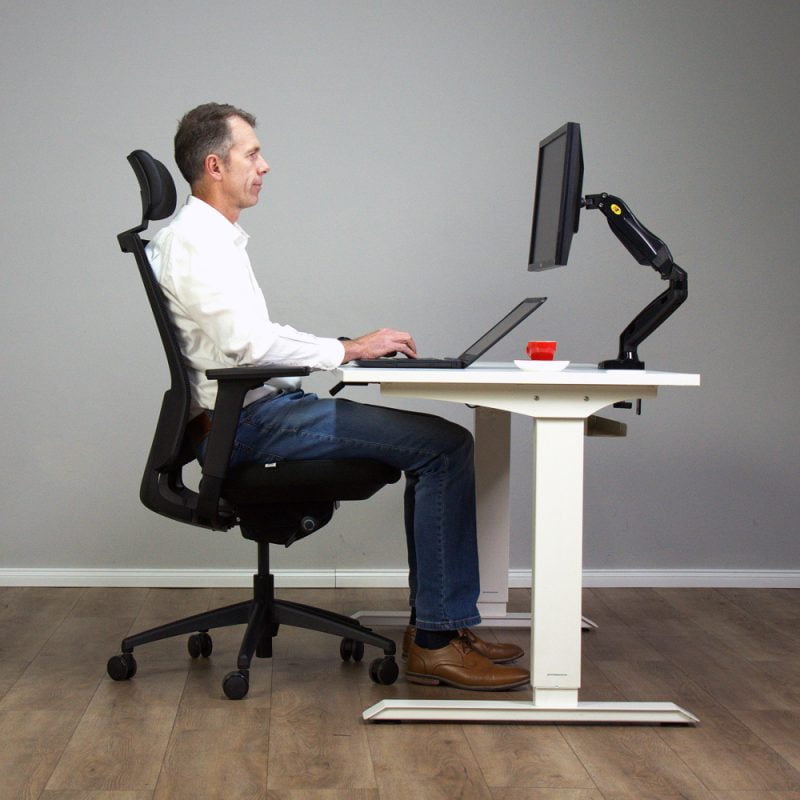
Let's get your Laptop Setup Right!
Raise the laptop height with books or a stand until the top of the screen is slightly below eye level.
Better still, invest in a separate monitor and position it an arm’s length away. Adjust the font size to prevent hunching.


Mistake # 8: Not Using a Separate Keyboard and Mouse with your Laptop
Continuous use of the laptop keyboard and touchpad can strain wrists and shoulders, especially if you work long hours.
The Solution!
Use a separate keyboard and mouse to maintain a comfortable position.
Place the keyboard flat or slightly angled, with the mouse close to the keyboard.


Your New Ergonomic Chair Setup....You've Nailed It!
Conclusion
The proper adjustment and alignment of your chair, desk, and monitor are key to a healthy and productive workspace. When your chair is setup correctly, you can sit comfortably for longer, reduce fatigue, improve focus and finish the day without aches and pains.
Make the most of your investment by taking the time to fine-tune your chair settings and create an ergonomic environment that eliminates these setup mistakes and enhances your overall work experience.
By the same author:

What is the difference between office chair mechanisms?
Office Chair mechanisms are regarded as the “heart” of an office chair.
What Is An Ergonomic Chair And How Do I Select My Ideal Seat?
There are many options available, but what is an ergonomic office chair? What features must it have? How do you make the right choice?

Office Furniture Suppliers for Ergonomic Solutions
Choosing the right office furniture suppliers in South Africa is crucial for creating a productive, comfortable, and stylish workspace.